
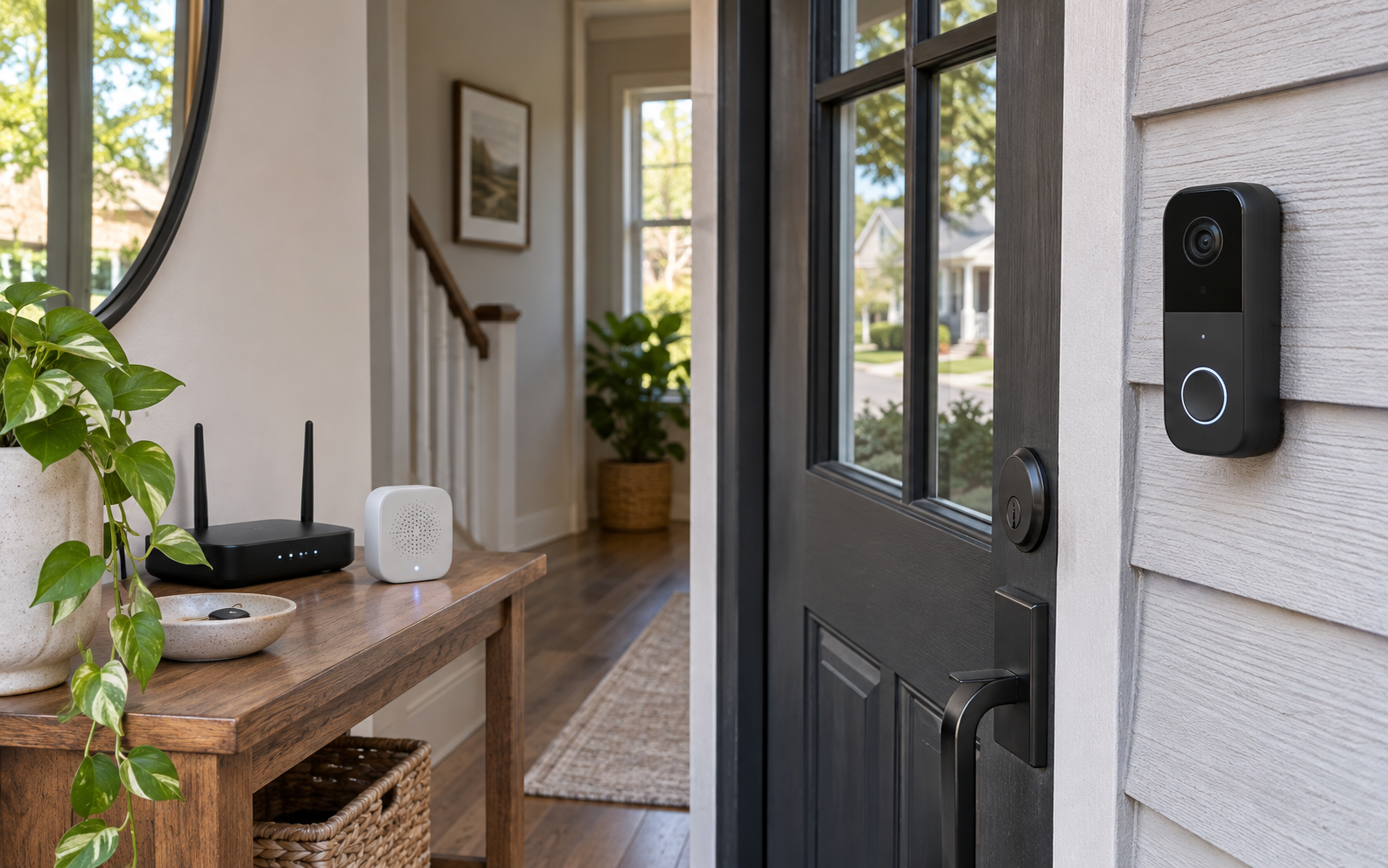
Picture this: a household wants a clear package view and HomeKit Secure Video at the front door, but also needs an indoor Aqara and Matter hub instead of another single-purpose chime. That ordinary moment is the useful test. A product succeeds here only when it removes friction without introducing a new maintenance ritual, privacy surprise, or setup problem.
Quick verdict
The Aqara G410 is more than a battery-capable 2K doorbell: its included indoor chime is also a Matter controller, Thread border router, and Aqara Zigbee hub. That makes it unusually efficient for a growing smart home, but buyers who only need a wired camera should compare the cheaper PoE-capable G400 before paying for hub duties they will not use. This recommendation is about fit, not a numeric score. Product quality can vary by model, firmware, room, and retailer support, so the final choice should be checked against the exact item you are considering.
Apple Home households and Aqara beginners who want one front-door device to supply video, an indoor chime, local storage, and smart-home hub functions
You need PoE, want continuous recording without compatible hardwiring, or already own all the Matter, Thread, and Aqara hub infrastructure you need
The real-life scenario
In this use case, convenience is only valuable when it survives a normal week: hurried mornings, imperfect Wi-Fi, shared spaces, cleaning, charging, and people who do not want to study a manual. We look for controls that make sense under pressure, maintenance that is easy to remember, and a fallback when the smart feature fails.
The right product should also fit the physical room. Measure clearances, cable paths, door swings, listening distance, storage, and access to power or drainage as relevant. Those details rarely headline a product page, yet they decide whether the purchase feels useful after the first month.
Tradeoffs to accept before buying
- Battery mode is easy to place but cannot provide the same always-on recording workflow as wired power
- HomeKit Secure Video limits the stream below the doorbell's full published 2K resolution
- The indoor chime-hub needs USB-C power and a location that balances Wi-Fi, audible ringing, storage access, and mesh coverage
What to check on the exact product
Confirm this against the exact model, room, and routine before paying.
Confirm this against the exact model, room, and routine before paying.
Confirm this against the exact model, room, and routine before paying.
A low-friction setup plan
- Use the included wedge to test whether the 4:3 view actually includes faces and packages
- Set up the chime-hub near reliable Wi-Fi before mounting the outdoor unit
- Begin with person and loitering alerts, then add face recognition, privacy masks, storage, and automations only after false-alert behavior is understood
Keep the first setup deliberately small. Confirm the core job works, learn the reset procedure, and save receipts, serial numbers, recovery codes, and warranty details. Add optional apps or automations only after the basic workflow is dependable.
Who should buy—and who should wait
Buy for this scenario: Apple Home households and Aqara beginners who want one front-door device to supply video, an indoor chime, local storage, and smart-home hub functions. The product category is a strong fit when the core job happens often enough to justify the storage, charging, cleaning, subscription, or learning cost.
Wait or choose a simpler alternative: You need PoE, want continuous recording without compatible hardwiring, or already own all the Matter, Thread, and Aqara hub infrastructure you need. A lower-tech tool is often the better choice when it is faster, easier to share, and less dependent on an account or app.
The chime-hub changes the value calculation
A separate hub, Thread border router and chime can create three plugs and three setup flows. G410 combines those roles in one indoor unit. The consolidation is valuable only if its placement works for sound, Wi-Fi, local storage and the home's mesh topology.
Wired and battery modes are different products in practice
Six AA batteries make placement flexible, while compatible 12–24V wiring enables continuous power, 24/7 recording and RTSP. Decide which workflow you are buying before mounting; the same casing can otherwise hide very different retention and maintenance expectations.
The wide frame should be aimed, not admired
A 175-degree diagonal view and 4:3 aspect ratio can include a package at the mat, but nearby walls and bright sky can consume much of the frame. Use the wedge, inspect day and night clips, and tune privacy zones before trusting the default angle.
Published specifications that change the decision
Alternatives worth comparing
- Aqara G400 when PoE, ONVIF, and wired 24/7 capture matter more than hub functions
- Aqara G4 when a lower-cost Apple-focused doorbell is enough
- A conventional cloud doorbell when an existing subscription ecosystem is more important than local integration
Aqara Doorbell Camera Hub G410 with Chime
A battery-or-wired 2K doorbell to compare when the included chime's Matter, Thread, and Aqara hub roles are genuinely useful.
Retailer link checked November 17, 2026. This is an affiliate link, so Review Radar Daily may earn a commission from a qualifying purchase at no added cost to you. Price, seller, and availability can change.FAQ
What differs between the two linked ASINs?
B0F6CJ93GS is black and B0F6CJF9M9 is gray; both are G410 doorbell-and-chime packages.
Can it record continuously on batteries?
No. Aqara lists 24/7 recording with wired power and local microSD storage; battery operation is event-oriented.
Is the chime only a speaker?
No. Aqara describes it as an indoor hub with Matter controller, Thread border-router, and Aqara Zigbee functions as well as the chime speaker.
Source and verification note
Primary or authoritative reference checked November 17, 2026: aqara.com, aqara.com. Product availability, software features, prices, and terms can change; verify the exact model and current retailer information before purchase.